
Approach
The radar room. You vector arrivals through the sector, build the landing sequence, clear each aircraft for the ILS and hand it to the tower.


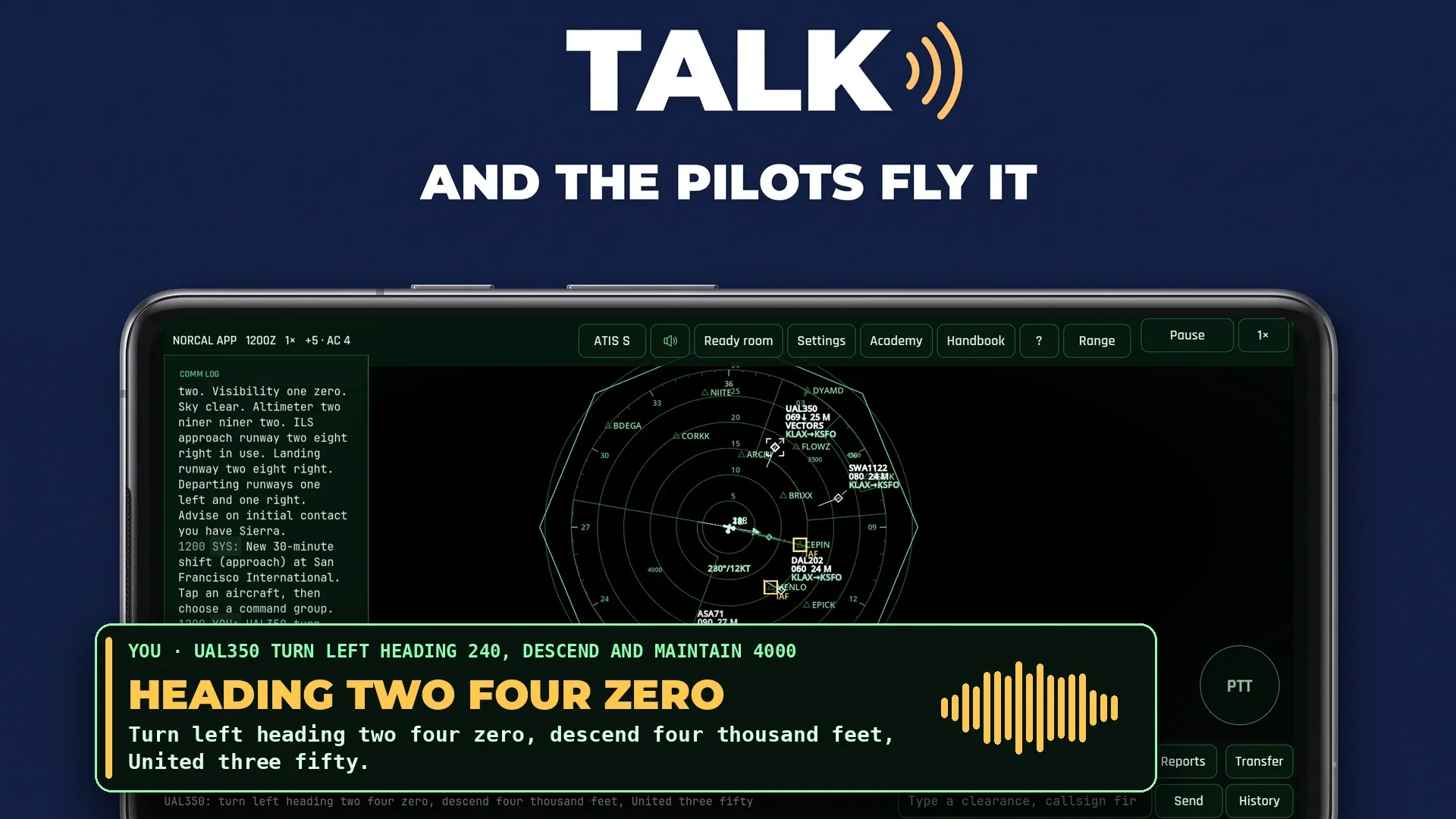
Sit at the approach radar or in a 3D tower cab and control traffic that keeps moving while you think. You give headings, altitudes, takeoff and landing clearances out loud, in standard radio phraseology. The pilots read each clearance back over the radio and then fly it.

Five hours of live world, free. No account, no ads, and nothing to buy. Google Play and the Google Play logo are trademarks of Google LLC.
Approach
The radar room. You vector arrivals through the sector, build the landing sequence, clear each aircraft for the ILS and hand it to the tower.
Tower
The cab, a 3D view out of the tower window. Line departures up, clear takeoffs and landings, judge the gaps between arrivals, send an aircraft around when a gap gets too small, and clear the ground traffic across your runways. Take the ground position too, and the taxi clearances are yours.
You choose the seat in the ready room, along with the airport and the difficulty.
01
Read callsign, altitude, speed and intent off each data block while arrivals and departures move at the same time.
02
Key the microphone and give the clearance the way a controller would say it. Standard phraseology earns a scoring bonus.
03
Pilots answer by voice, spoken by your phone through a radio filter. On the harder tiers some of them read back a wrong number, and you have to hear it and correct it.
Tap a screenshot to see it full size.
Voice is the main way to play, and there are two others. A touch control does not send a shortcut command. It builds the full transmission, reads it out in standard phraseology and sends it down the same path your voice would take, so it is graded, read back and logged the same way.
Hold the transmit pad under your thumb, or key it from the volume rocker. Bluetooth headsets work, and the app takes audio focus so an incoming call does not talk over the frequency.
Select an aircraft and a strip appears in the thumb zone. Heading, altitude and speed each open a picker: a compass rose that draws the turn as the aircraft will fly it, and altitude ladders that hatch out the levels it cannot take. Next to them are direct, sequence, approach, handoff and ask.
Type the clearance instead. The same grammar parses it, so you can play in a quiet room or with a broken microphone.
Arrivals descend toward the ILS while departures climb out through them. A late handoff or a loose vector becomes the next problem you have to solve, so each call needs a reason behind it.
A typical transmission
“Speedbird one two three, turn left heading zero niner zero, cleared ILS approach runway two five right.”
The pilot reads it back and flies it. If you add a courtesy at the end you get one back, and it does not cost you the phraseology bonus.
An NPC approach controller delivers arrivals established on final, and an NPC ground controller taxis departures out to the holding point and arrivals back to the stands, unless you combine ground control with the tower and give the taxi clearances yourself, by taxiway name, on the one frequency. You own the runway. Every takeoff, every landing and every crossing uses the same piece of pavement, and your departures go in the gaps between arrivals.
The takeoff clearance, in the order the manual gives it
“Delta two zero two, runway two five right, wind two five zero at eight, cleared for takeoff.”
Flight strips hold the plan. Drag one and you have changed your departure order. A ground radar inset names the taxiways, runways and stands, and when the visibility drops it expands and shows you the surface traffic the window cannot.
A runway crossing, the way the manual gives it
“United four four seven, cross runway three three at taxiway alpha.”
Until you say it, the aircraft holds short. Clear it across with an arrival about to land on that runway and the incursion alert fires, the same way it does for a bad takeoff clearance.
The tower seat is drawn in 3D. Six aircraft types, from a Cessna 172 to a 747, taxi, roll and rotate in front of you, with their gear, strobes and landing lights, past a terminal building, lit runway edges and taxiway signs. Pinch to zoom, or follow the aircraft you have selected.
Twenty-three guided lessons run inside the game, each with a mentor who talks you through it. Twelve cover the approach seat and eleven cover the tower cab, from landing one arrival to working the field through a snowstorm and clearing a stuck microphone on guard. You can take them in any order, they remember what you have finished, and nothing is locked, so you can go back to the one skill that let you down on your last shift. Every handbook chapter that has a lesson starts it from the page.
The tier sets how much traffic you are given and how often a pilot mishears you. It does not change the separation minima, the scoring or the three violations that end a shift.
The course
Approach
Tower
4 aircraft
Slow arrivals and no pilot errors.
7 aircraft
Callsigns are required, and about two percent of readbacks come back wrong.
10 aircraft
An arrival every ninety seconds and five percent pilot errors.
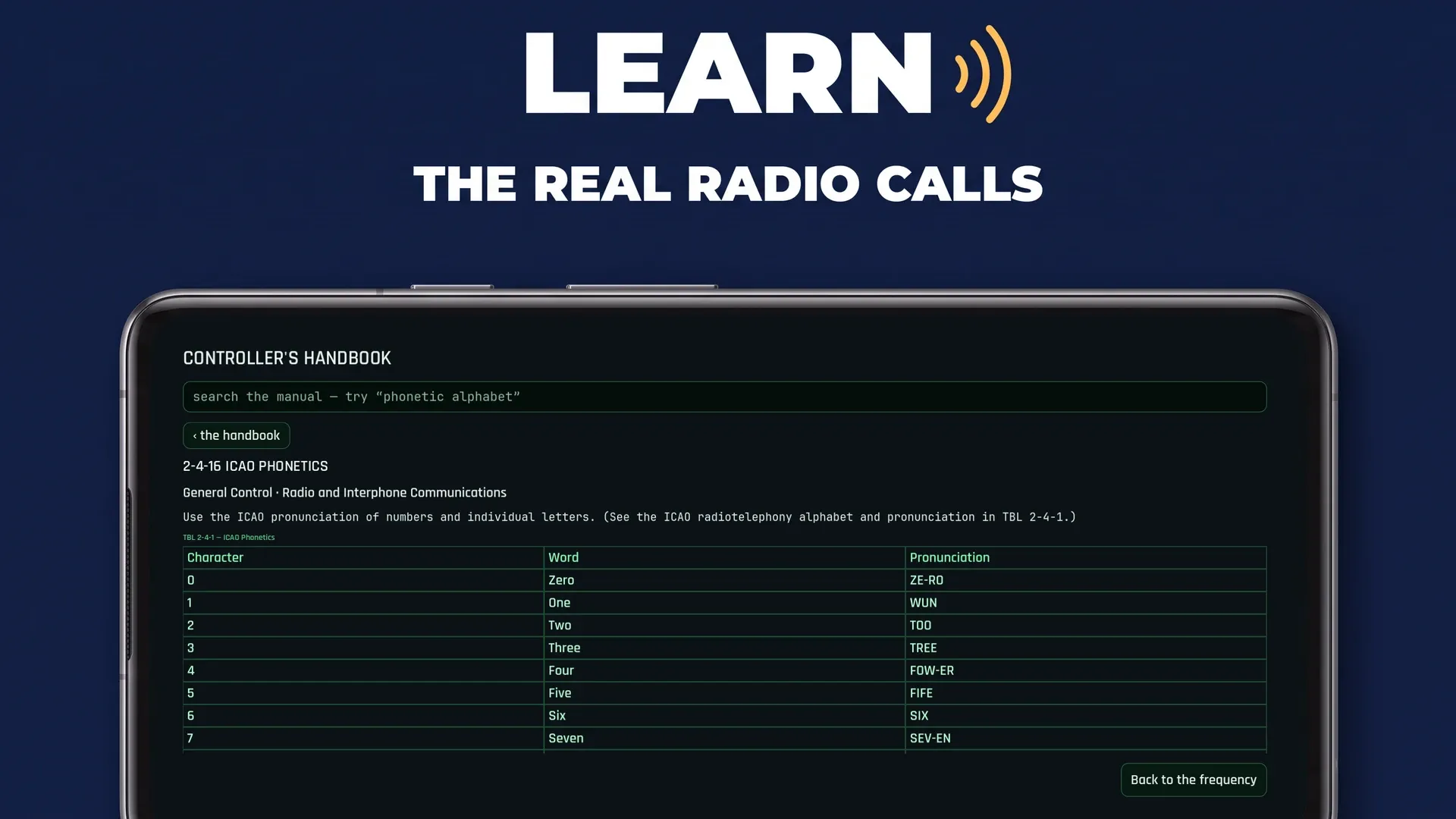
ATC Simulator is built on FAA Order JO 7110.65, and the order ships inside the app. Ask how close two aircraft may get and the search opens 5-5-4 MINIMA, with a note that the separation rule you just broke came from that section.
Read the handbook onlineThe index searches the text of all 688 passages as well as their headings, so you do not need to know the name of the rule you are looking for.
A section chip sits on the mentor lines, the lesson steps and the scored rows of your debrief. Tap it and the passage the rule came from opens.
ATC Approach & Tower Training starts with what air traffic control is, works through vectoring and sequencing, and then moves up to the cab: the runway, both clearances, what to do when a gap closes, the taxi clearance when ground control is yours, the emergency return, winter at the field, and the incidents a tower handles on the frequency. Reading it end to end earns the Student Controller rating, and the whole book is free to read on this site.
Wherever the handbook relies on a rule, a section chip opens the FAA passage that states it.
Start on a field designed for learning, then move to one with a different layout, runway plan and traffic flow. Both fields offer the approach scope and the tower cab.
KBAY
A fictional training airport with two ILS runways and a simple layout, so the fundamentals are the only thing you have to work on.
KSFO
Worked as NorCal Approach or the tower, on San Francisco’s real runway layout. Arrivals land on 28L and 28R at the same time while departures roll off 1L and 1R, which changes the job considerably.
A score on its own does not tell you what to change. The post-shift review lists what you handled well and what cost you safety or efficiency, line by line.
Efficiency is measured against the straight line each aircraft could have flown through your airspace. Anything beyond a fair allowance counts as track miles you spent, and the debrief adds them up.
Offline mode is a setting you turn on. With it on, the app needs no connection at all: the full simulation, the scoring, all twenty-three lessons and the whole handbook, using the phone’s own speech recogniser. The pilot voices never needed one. They come from the phone’s own speech engine, played through the radio filter, online or off.
Voice control offline needs a speech recognition service on the device and a downloaded language pack. Without those, touch and text still give you every command.
Understanding free-form speech and the live traffic director run on our servers, so there is a limit on that part. You get five cumulative hours per installation. Only live shift time counts. The ready room, the handbook, pause and the debrief do not use it.
Shifts keep starting and scoring in both seats. The simulation, the twenty-three lessons, the eighteen-chapter handbook and the pilot voices stay as they were. The live director stops, and the radio understands standard phraseology rather than free-form wording. There is no nag screen, and shifts stay endless.
On Android the recording goes to Codoha to be transcribed and is used for that one radio call. Neither the recording nor the text is kept. In offline mode nothing leaves the phone.
ATC Simulator is an entertainment and learning game. It is not approved training, operational software, or a substitute for instruction from an aviation authority or certified training organisation. It is not affiliated with, endorsed by, or a product of the Federal Aviation Administration. Aircraft, manufacturer and airline names are trademarks of their respective owners, used only to identify them. No affiliation or endorsement.
Learn the phraseology, work the traffic, and read what the debrief says after each shift.
Get it on Google Play™A game by Codoha Ltd.
com.codoha.atcvoice